a way out of the M-Audio Axiom Pro 61’s BSOD
A friend’s M-Audio Axiom Pro 61 developed the BSOD about a decade ago. The backlight came on, but the controls and USB interface did not. It had been gathering dust in his loft ever since. I now have enough hardware to pretend I know about firmware development and ISP flashing, so we thought we’d let it have a go.
This has been happening to Axiom keyboards for years. Old forum posts suggest power supplies, factory resets, component mods and reflashing, depending on which failure produced the same blank screen. Mine had corrupted its firmware.
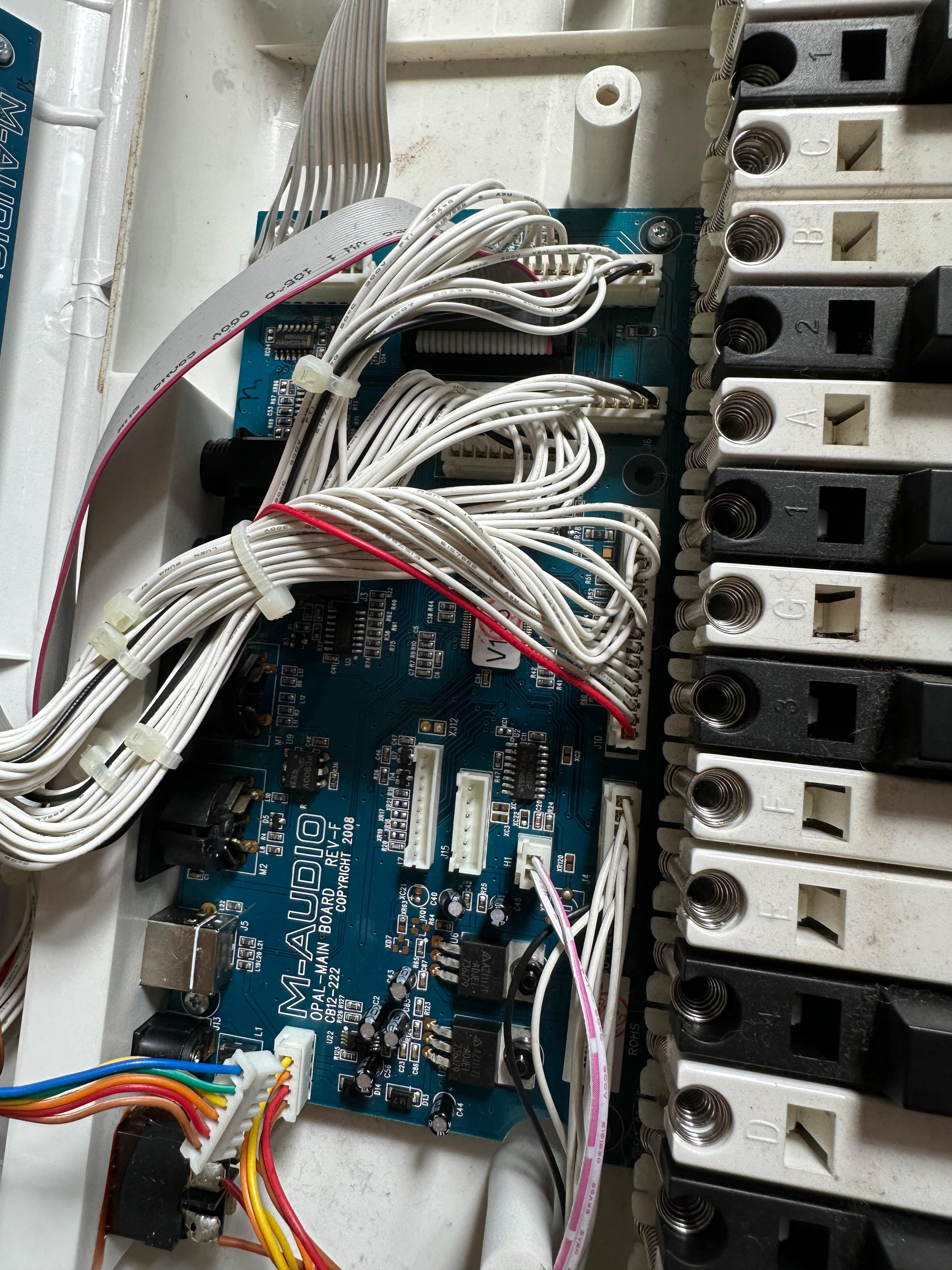
The main board, underneath several miles of wiring.
The firmware had eaten itself
Codex identified the processor and found its recovery pinout in the datasheet. I traced the pins across the board with continuity tests: one ran through the MIDI input path, the other to a MOSFET beside the MIDI output. It was a three-wire serial connection, not the JTAG route everyone else seemed to use.
The processor’s built-in recovery mode answered over it. I pulled the entire flash twice and got the same hash both times. The wiring was sound and the corruption was stable.
Most of the dump matched a known-good image. The beginning of the application did not. The damage was consistent with data being programmed over existing flash without erasing it first, and parts resembled records from the keyboard’s user-storage area. It looked as though a save had wandered into the application and the keyboard had saved itself to death.
Finding a clean image was its own archaeological dig. The firmware survived in some bloke’s Google Drive, buried several links deep in an old repair thread. I archived it while the link still worked. Fortunate, because it is dead now and the Internet Archive kept the article but not the download.
I backed up the whole chip, flashed the known-good firmware without touching the user-data area, verified it and power-cycled the keyboard. It booted normally and everything still worked.
The original Windows installer also contained the complete 112 KiB application image. Its hash matched the application region of the full firmware I’d archived, so I could have flashed that over the same serial connection without touching the bootloader or user data. The dead USB interface only stopped the updater working normally.
Next time it breaks, I’m gonna stick a big-titty anime girl on the screen. Or Bad Apple. Nah, that’s kinda lame.