a failed attempt at pwning an eero 6
I’ll spoil the ending: it’s basically a locked-down, Amazon-hardened, no-opt-out spyware radiation generating machine with no way in, including the usual backdoors automatic OTA updates with a suspiciously nulled-out management callback (or whatever). Nothing extracted from the firmware matters, because there’s no way onto the device to use it, let alone persist.
I own an eero 6. Or rather Amazon owns an eero 6 and it resides in my house. I wanted to keep mine running as a plain mesh router with the cloud cut out of the loop, so I had it take the eero apart.
I followed markuta’s writeup, but instead of paying a human trafficking phone repair shop to do it, I used it as an excuse to finally pull a chip off something myself. Turns out all I needed was £400 and a few months of doomscrolling Ali: a hot-air station, a programmer, a BGA adapter, and a single button press in a Chinese Windows XP-style UI.
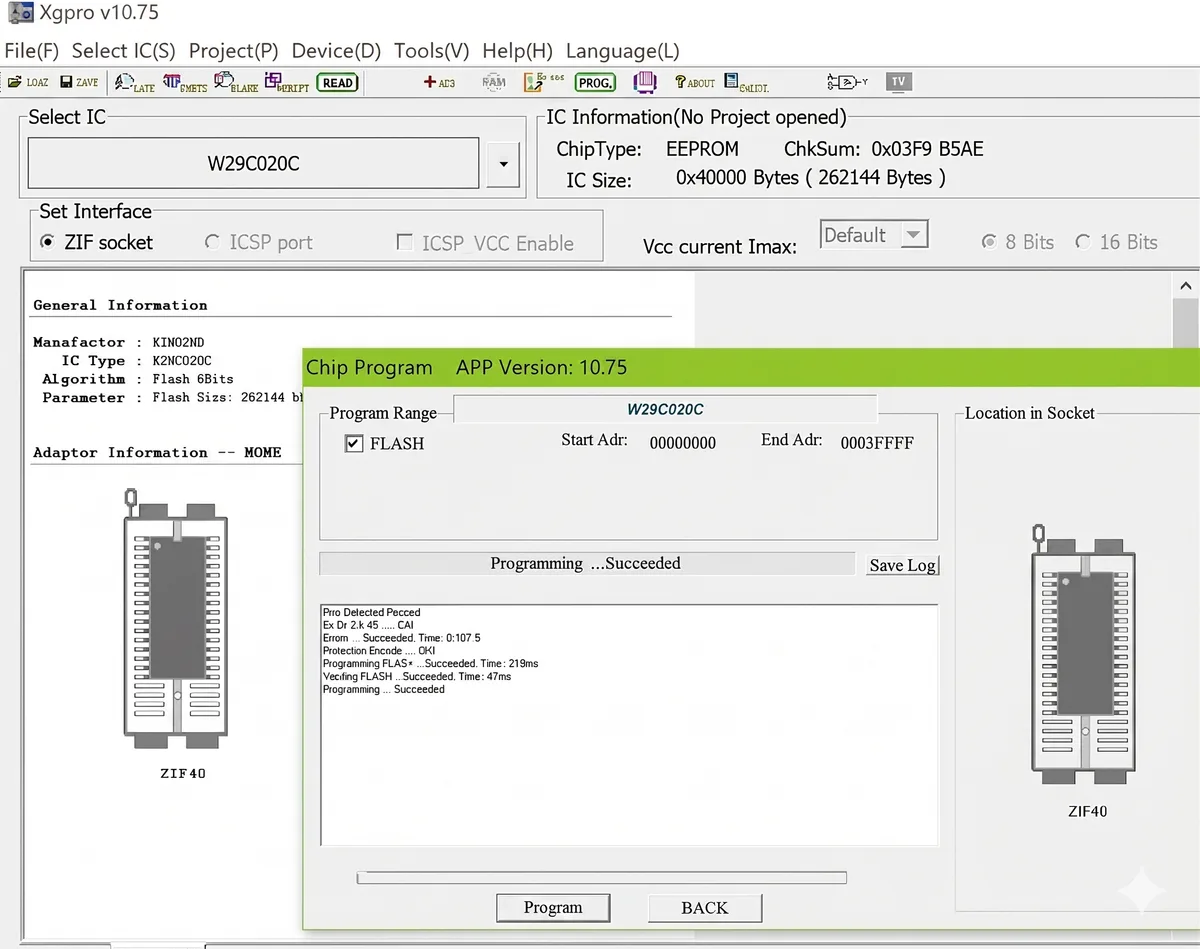 The Chinese-style Windows XP UI (spoiler: the button is “READ”). I didn’t get a screenshot from my own Windows machine, so here is one from Gemini.
What it’s
Codename “firefly” — a Qualcomm IPQ5018 running eeroOS v7.8.33, Yocto kirkstone, Linux 4.4. The whole router is a huge 27,185-function Go monolith called goloki (well, I don’t know Go, so it might be a megalith, or some compilation quirk smacking it all in one file), compiled once and run as a dozen daemons via cmd/*/Main. Kinda reminds me of an old-guard PHP developer using the same 15,131-line index.php on WAMP as well as taskschd.msc.
 PHP coded.
Neither of us knew if Ghidra could do it, so it built an ImportGolokiSymbols.java Ghidra script (or whatever it is) that parsed the gopclntab and rebuilt the names. Without that it’s FUN_00b80408 instead of setup.runStateMachine, and the analysis takes 6h instead of 2.
The rootfs is ext4, not the SquashFS/UBI the magic-scanners kept flagging; most of those hits were a libblkid magic table inside a binary, and the only real SquashFS is the Wi-Fi radio firmware. 10 minutes wasted before it carved the superblocks and pulled both A/B rootfs slots.
Config lives in a local key/value database eero calls “bookshelf”. Everything — Wi-Fi, routing, firewall, mesh backhaul — is driven by “books” in it. A daemon called core.comms holds a pinned TLS connection to Amazon and exists only to populate and sync that database. The radios are downstream of the database, not the cloud. He who writes the books, uh… not sure where this analogy goes.
Which is encouraging, because cloud-free operation is feasible on paper: seed the right books locally — membership, SSIDs, mesh config — and goloki brings the device up with Amazon unreachable. The setup state machine gates on two books, onboarding is the cloud writing them, and an encrypted cache volume plus a persistent “immortal” namespace survive reboot without an exec hook on the read-only rootfs. Every piece checks out.
All it needs is root. And root it shall have.
Just kidding
The serial UART gives boot logs and nothing else. There’s a serial-getty template with --autologin root sitting right there, except it’s never instantiated. No getty generator, no serial login, only a virtual console that isn’t wired to the UART.
The U-Boot fallback is closed too. Normally you interrupt the autoboot countdown, drop to the prompt, and append init=/bin/sh — the command line isn’t signed, so a verity rootfs mounts read-only and you still get a root shell. Except there’s no countdown. It decompiled appsbl.bin and found the gate: eero_get_security_enable reads the secure-boot fuse over a TrustZone call, and eero_bootdelay_security_gate forces bootdelay to zero when it’s blown, logging “get_security_enable prevents enforce bootdelay check” like a huge middle finger. This unit’s fuse is blown, so the “hit any key” window is zero seconds wide. eero wrote code specifically to slam that door.
 The any key prompt… if the any key prompt existed
USB-C enumerates nothing, device or host — power only on the external port, the SoC’s USB wired internally to the smart-home radio. eMMC reflash is dead: dm-verity rootfs, secure boot fused (secure_boot_fuses=1, secure_boot_unlocked=0). No SSH, no telnet, no web admin. Device identity is a per-device key in TrustZone signed by Amazon’s cloud, so you can’t impersonate a real eero either.
The one thing they didn’t lock is the Qorvo QPG7015M smart-home radio. Its firmware is reflashed every boot and integrity-checked with a CRC32 — no signature, no RSA, no ECDSA. Forge the checksum and you run your own code on its Cortex-M. But that’s a microcontroller inside the eero, not Linux on the host, so it gets you nowhere.
What’s left is a secure-boot exploit or glitching the SoC — a different project.
Is it spyware?
Through core.comms the device continuously reports to Amazon1 a full inventory of every LAN client — MAC, hostname, vendor, device type, fingerprinted via mDNS/SSDP/DHCP/user-agent — plus per-device bandwidth, the mesh topology, and every Thread, Zigbee and Matter device the smart-home radio can see. It also ships the ambient-light reading from the photodiode next to the status LED. No camera, no mic in the hardware, but it’s reporting the lux level of your living room. core.comms is the only transport, so killing the cloud kills all of it. You don’t need root: the eero is the router, so block it upstream. That stops the telemetry and stops Amazon pushing a firmware update that changes the rules later. And in the process breaks the app and anything else related to it.
But is it spyware though? In all honesty, not in a surprising way, no more than the phone in your pocket, or any other self-updating device.
I’m not worried about Amazon coming after me for dumping the binaries, there’s nothing interesting in there, but if you want it, email me. The only thing of note is that CRC32 shite, and what’s that going to give you?
So what the fuck. SMD or 400°C-resistant conformal coating? A challenge no longer. Putting them back on however… Next up, another 10h on Ali and a ChipWhisperer clone at the door.
Also, the linter was absolutely wank for this.
Footnotes
-
Endpoints seen in the firmware:
node.e2ro.comandedge.e2ro.com(REST and gRPC cloud),api.eerodns.com/zerodns1.eerodns.com(eero DNS),api.dnsfilter.com(content filtering), andeerospeedtests.com/ SamKnows for speed tests. Everything else lives under*.e2ro.comand*.eero.com. ↩